
วิธีแก้ไข error 0x80070035 , 0x80004005 บน windows 10 หรือ 11 ไม่สามารถแชร์ไฟล์ได้
How to fix network error 0x80070035 on windows10,11
windows 10 หรือ 11 เป็นวินโดว์ใหม่ที่มีระบบความปลอดภัยมากขึ้น ทำให้การแชร์ไฟล์ หรือเข้าถึงไฟล์ของเครื่องคอมพิวเตอร์อื่นยากมากขึ้นตามไปด้วย ซึ่งพบเจอปัญหา error (เออเลอร์) เมื่อต้องการแชร์งาน
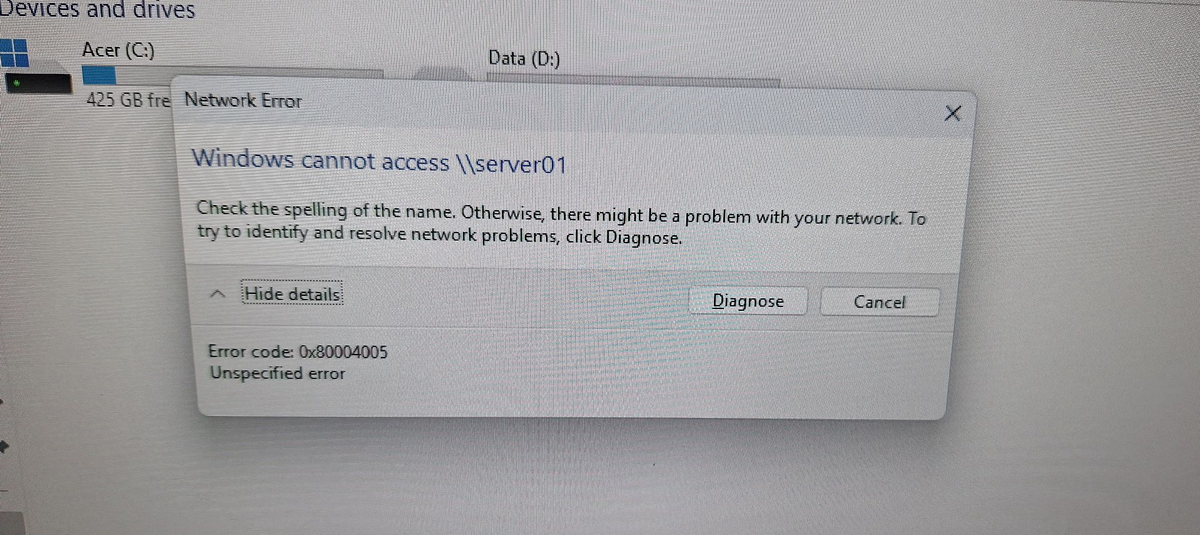
ตัวอย่าง error ที่เจอบ่อย
Windows cannot access \\ (Share drive name)
Check the spelling of the name. Otherwise, there might be a problem with your network. To try to identify resolve network problems, click Diagnose.
Error code: 0x8004005
Unspecified error
วิธีแก้ไขอีก 1 วิธีที่ได้ทดลองใช้งานแล้วสามารถแก้ไขปัญหานี้ได้ มีขั้นตอนดังนี้
Open a command prompt (run as administrator) (เปิด command prompt ในโหลด administrator)
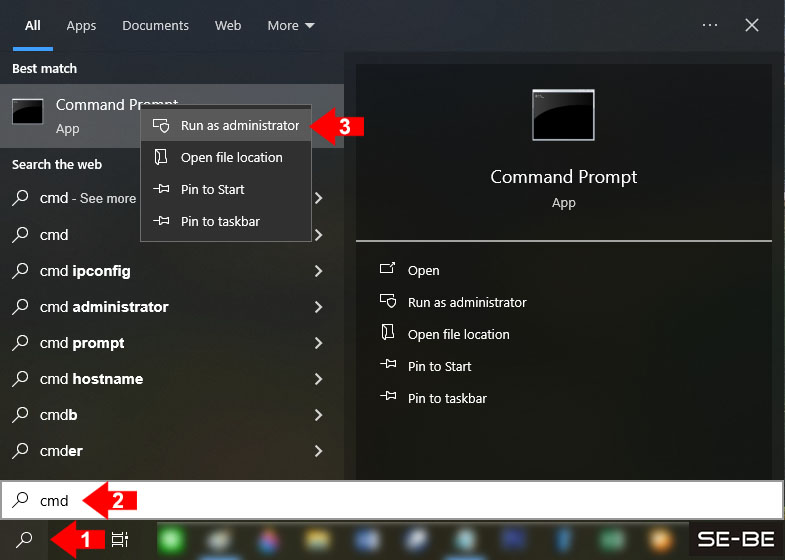
1. กดที่รูปแว่นขยาย หรือ search
2. พิมพ์ cmd
3. คลิ๊กขวาที่ Command Prompt กดเลือ Run as administrator
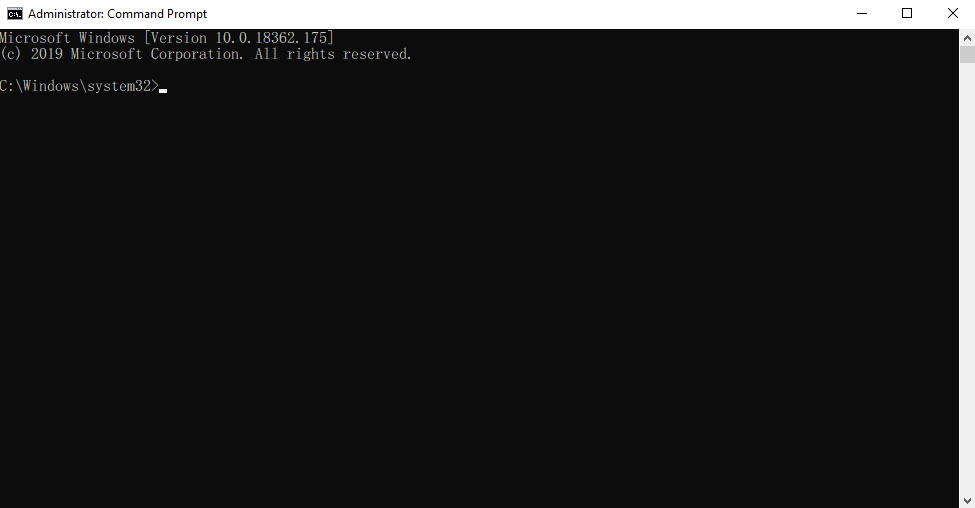
4. เมื่อทำตามข้อ 3 จะมีหน้าต่าง Command Prompt ตามรูปด้านล่าง
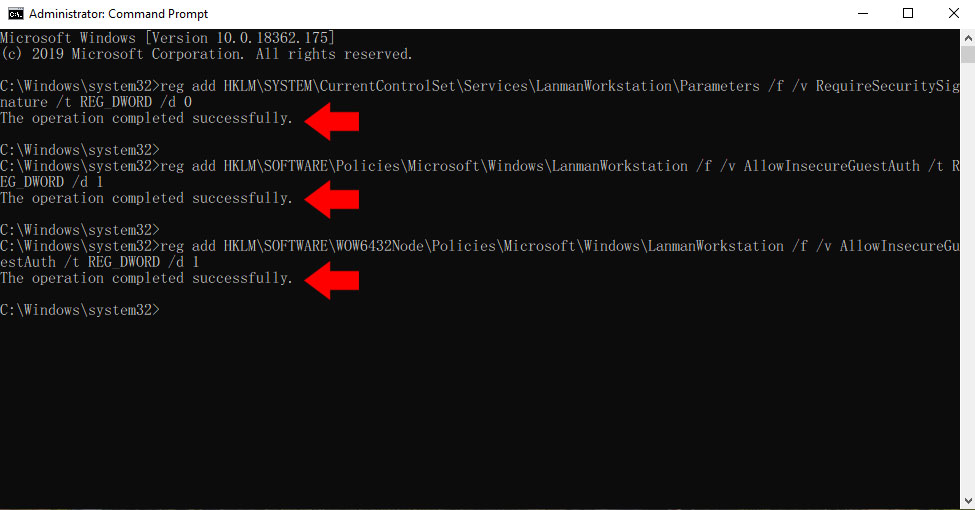
5. type the following command and press Enter: (พิมพ์ หรือ ก๊อปปี้ โค๊ตด้านล่างไปวางไว้ในหน้า command prompt และกด enter 1 ครั้ง)
**สังเกตุเห็นว่าโค๊ตแต่ละบันทัด ขึ้น The operation completed successfully
reg add HKLM\SYSTEM\CurrentControlSet\Services\LanmanWorkstation\Parameters /f /v RequireSecuritySignature /t REG_DWORD /d 0
reg add HKLM\SOFTWARE\Policies\Microsoft\Windows\LanmanWorkstation /f /v AllowInsecureGuestAuth /t REG_DWORD /d 1
reg add HKLM\SOFTWARE\WOW6432Node\Policies\Microsoft\Windows\LanmanWorkstation /f /v AllowInsecureGuestAuth /t REG_DWORD /d 1
6.ปิดหน้า Command prompt และกดรีสตาร์เครื่องคอมพิวเตอร์ จากนั้นทดสอบเข้าไดร์แชร์/ไฟล์แชร์อีกครั้ง
แก้ไข windows error